Musiclify: a free, open-source music player for Android and Windows
This week Spotify emailed me: "You're no longer on Spotify Premium."
Good timing. I had just shipped my own music player.
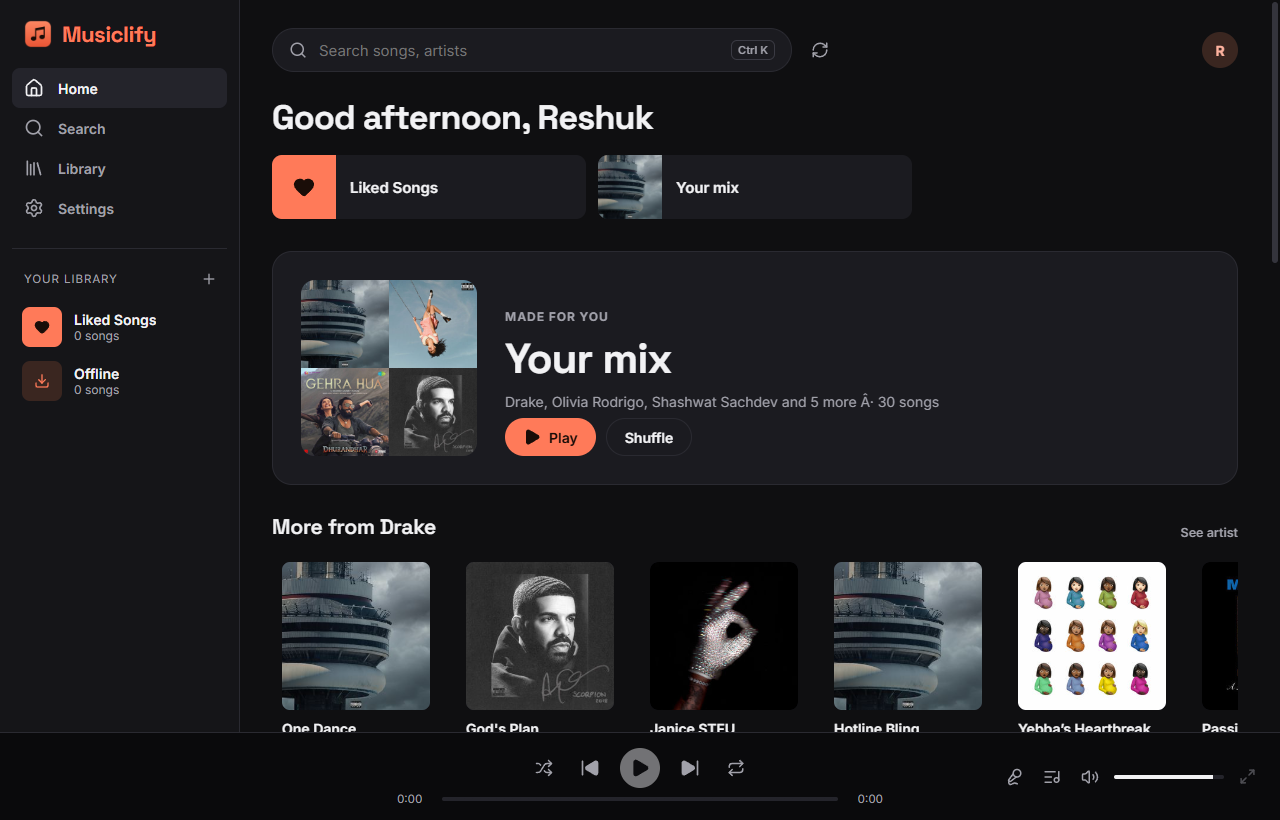
Musiclify is a free, open-source music player for Android and Windows. It has synced lyrics, an encrypted offline library, a personal mix, and one-tap handoff between your phone and your PC. There is no account to create, no ads, and no tracking.
Download: musiclify.vercel.app · Source code: github.com/reshuk-code/musiclify
Download Musiclify
| Platform | Download | Requires |
|---|---|---|
| Windows | Musiclify-Setup-0.1.1.exe | Windows 10 or 11 (64-bit) |
| Android | Musiclify-0.4.apk | Android 8.0 or newer |
Every version, with release notes, is on the GitHub Releases page.
Installing on Windows: run the installer. If SmartScreen appears, choose More info → Run anyway. The installer isn't code-signed yet.
Installing on Android: open the APK and allow installing from your browser. Musiclify isn't on Google Play, so you install it straight from GitHub.
Why I built another music player
Most music apps want something from you before they play a single song: an account, an email address, a subscription, or permission to learn your habits. The music is the bait. You are the product.
I wanted the opposite: an app that opens and plays, keeps your library on your own devices, and still has the features that make a streaming app pleasant to use. Lyrics that follow the song. A mix that knows what you like. Music that keeps playing on a bus with no signal.
So I built it, and I made all of it open source.
Features
Synced lyrics, line by line
Lyrics scroll with the song, one line at a time, and the current line is highlighted. Tap any line to jump straight to that part of the song. Synced lyrics come from LRCLIB, an open lyrics database with line-by-line timestamps.
Your mix
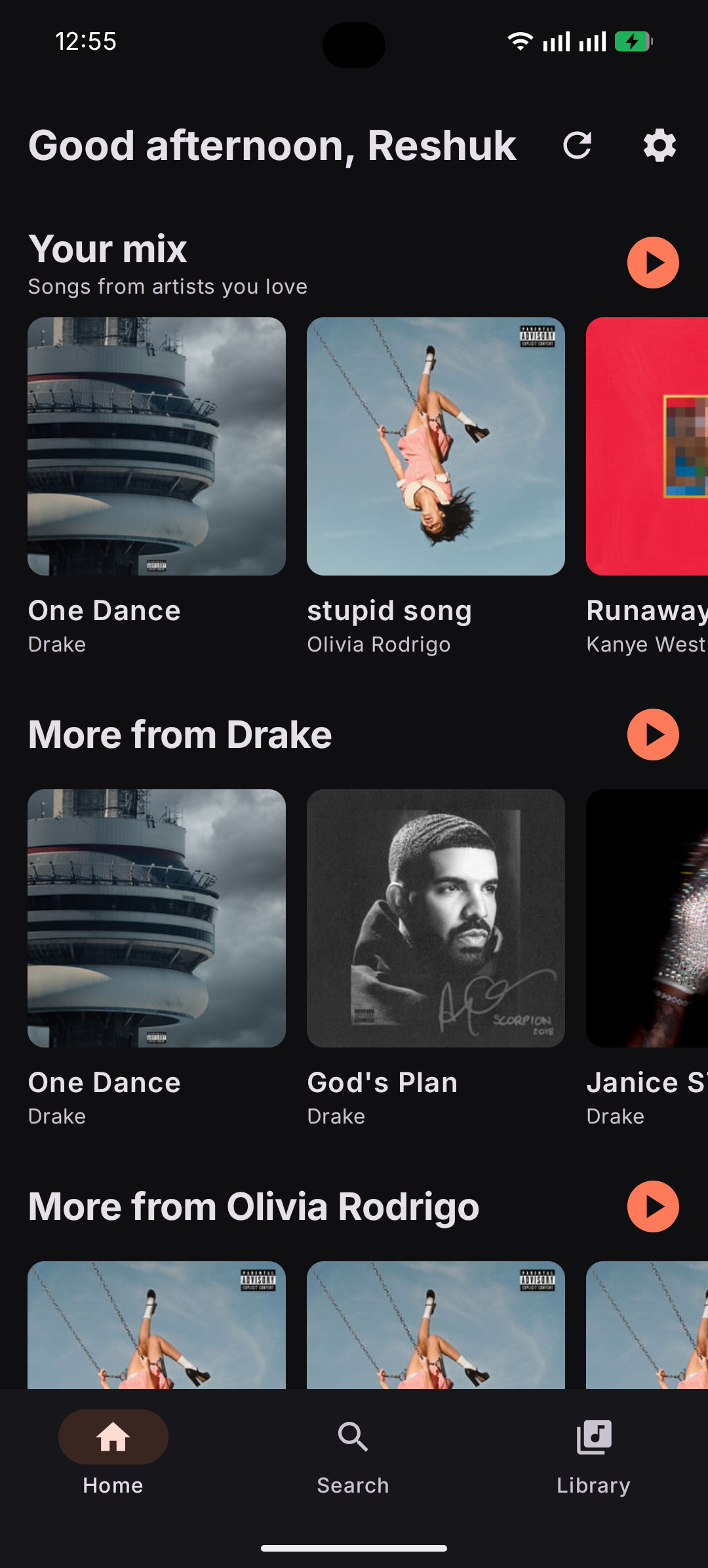
Musiclify builds Your mix from the artists you follow: 30 songs, interleaved so one artist doesn't take over, then shuffled. Open it to see every song in the mix, play any of them, or shuffle the lot. The Play button pauses and resumes the mix instead of starting it over. The mix refreshes through the day, when you change your favourite artists, or whenever you tap New mix.
An encrypted offline library
Every song you play is saved to an offline library, so it keeps playing without internet. The files are encrypted with AES using a key held by the operating system (Android Keystore on the phone, Windows Credential Manager on the PC). Audio is encrypted as it streams in and never touches the disk unencrypted. Copied files won't play anywhere else.
Phone ↔ PC handoff
Scan a QR code on your PC once to link your phone. After that, one tap moves the song you're playing from your phone to your PC, at the same second, or back again. The QR code carries the PC's local address and a one-time 256-bit key, and everything after that travels directly over your Wi-Fi, sealed with AES-256-GCM.
Sync without a cloud
Likes, playlists, listening history and favourite artists sync both ways between your devices, directly over your Wi-Fi. There is no server in the middle holding your library. The newest change wins, and deletions sync too.
Private by default
- No account. Open the app and play.
- No ads. Not now, not later.
- No tracking or analytics. Your listening stays on your devices.
How Musiclify works
| Part | What it uses |
|---|---|
| Android app | Kotlin, Jetpack Compose, Media3, Room |
| Windows app | Tauri 2 (Rust) with a React and TypeScript interface, SQLite |
| Song info | Deezer's public API for titles, artists, covers and charts |
| Audio | Fetched on your device: NewPipeExtractor on Android, yt-dlp on Windows |
| Lyrics | LRCLIB, synced line by line |
| Website | Next.js and Tailwind CSS on Vercel |
Each song is matched to its upload by searching and scoring candidates on duration, title and official channels, while skipping live versions, covers and remixes. An optional match cache lets devices share which video matches which song, so the next person skips the search. It shares only those IDs: no audio, no lyrics and no personal data.
Musiclify is for personal listening. It doesn't host, redistribute or share any audio.
Open source, and open to contributions
Musiclify is licensed under GPL-3.0, and the whole codebase is on GitHub: the Android app, the Windows app, the website and the match cache service.
The repository is set up for contributors: a contributing guide, issue and pull request templates, a code of conduct, a security policy, and CI that builds the Android app, the desktop app and the website on every pull request.
- Code: github.com/reshuk-code/musiclify
- Report a bug or request a feature: open an issue
- Contribute: read CONTRIBUTING.md
If Musiclify is useful to you, a star on GitHub helps other people find it.
FAQ
Is Musiclify free? Yes. It's free, with no ads and no paid tier.
Do I need an account? No. There's nothing to sign up for.
Does Musiclify work offline? Yes. Songs you play are saved to an encrypted offline library and play without internet.
Is Musiclify on the Google Play Store? Not yet. Download the APK from GitHub Releases.
Does it work on Mac or iPhone? Not yet. Musiclify runs on Android and Windows today.
Is my listening data collected? No. There are no analytics. Your library, likes and history stay on your devices and sync only between them.
Where is the source code? On GitHub: reshuk-code/musiclify.
Download Musiclify for free, for Android and Windows. No account, no ads, no tracking.
What's the one feature your music app is missing? Tell me on GitHub. It might be the next update.
New writing, in your inbox.
An email when I publish something new. No digest, no newsletter series, and one click to leave.
Prefer a reader? RSS.